



The future of your data,
without leaps in the dark.
We virtualize, consolidate, and modernize your SQL Server databases with a methodology designed to reduce risk.
The new platforms
open up new possibilities.
Cloud, virtualization and updated versions of SQL Server allow you to scale resources along with the business. We accompany you in your choice with a concrete assessment, before each migration. We analyze the workload, simulate the scenario and build an action plan to reduce the risk of the switch.
Do you recognize any of these needs?
Let's not roll the dice:
We measure before we migrate.
A version upgrade or a migration to the cloud unlocks the new possibilities of the target platform, but hides pitfalls: not all features are supported, some have been deprecated, others are missing in the cloud. A complete analysis of the source database and the applications that insist on it is needed, to avoid nasty surprises. The level of compatibility must also be chosen carefully: the most recent one unlocks new features and functionalities of the language, and Microsoft guarantees that the applications will continue to work, but does not guarantee the same performance.
WorkloadTools
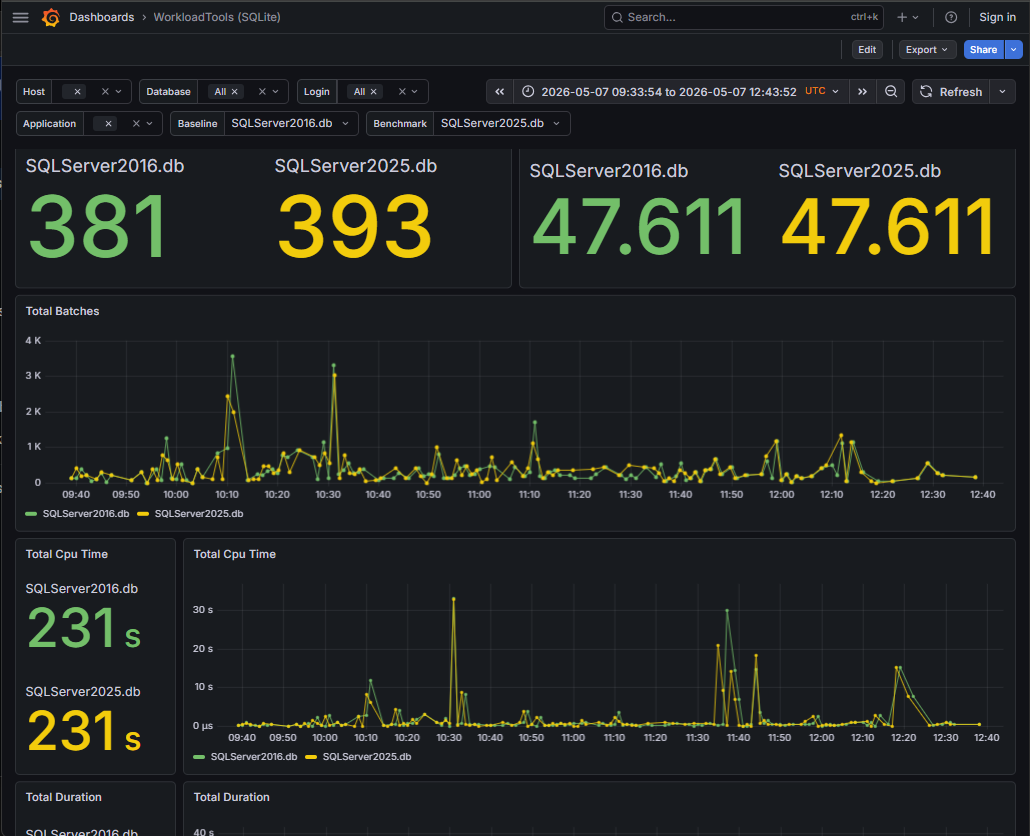
To capture and re-execute the workload, we use WorkloadTools, the workload capture & replay tool developed by us: it is unique in its kind and is now recommended by Microsoft, after the discontinuation of the official tools for workload replay. We record a workload representative of the application with execution times and resource utilization, rerun it in the candidate environment and compare the results: where regressions emerge, we intervene with tuning measures before the problem manifests itself in production. With new replays we check which combinations of compatibility level, trace flags and server settings offer the best performance.
The role of QMonitor
QMonitor does not replace this process, but it can complement it: we use it to observe performance metrics at different stages of migration, before and after the transition to the new environment.